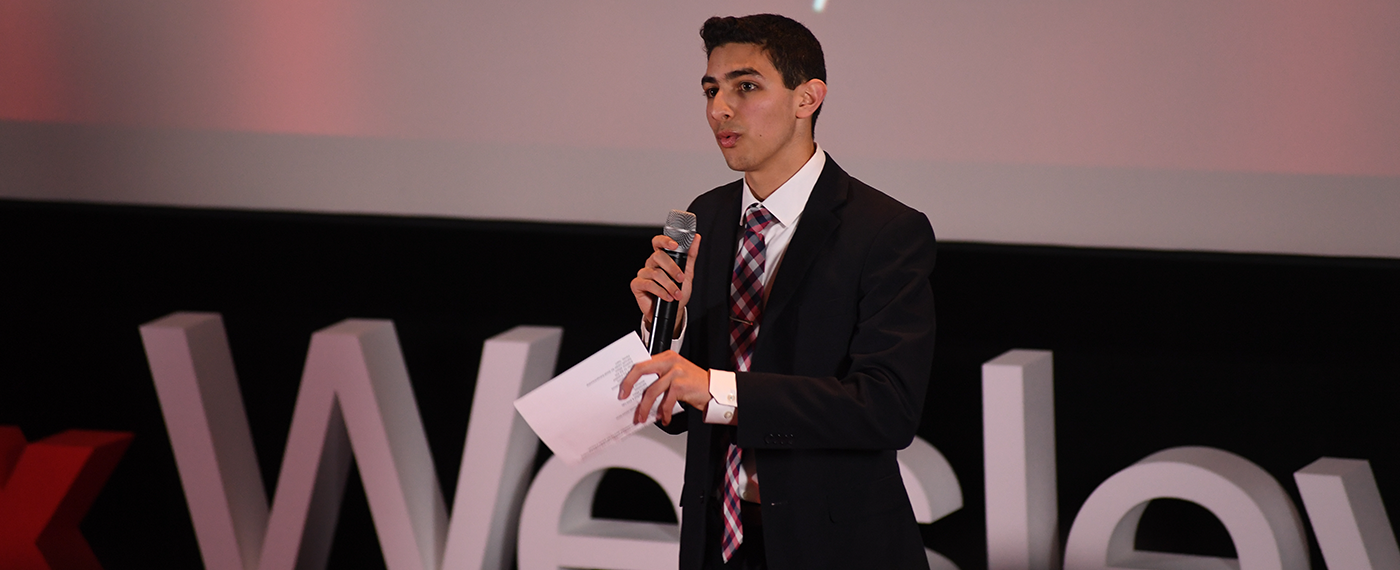
Eunes Harun

About Me

Hello there, I'm Eunes Harun. I am the CEO & Founder of Tech Now, a tech show, on Youtube. I am a student from Connecticut. Feel free to follow me on Twitter, @EunesTN and check out the Youtube channel at MrHarunee. If you'd like to learn more about me, check out my Bio page, and also my Portfolio.

17 January 2013 0 Comments

Relaunch Coming Soon

I have had the same website for the last year, and I it is time for a change. A lot of the info on this site is outdated, and for that reason, I will be releasing a brand new EunesHarun.com. It will have a new design and updated content more often.

Look out for the new site, coming soon.


-Eunes Harun

7 March 2012 0 Comments

New iPad 3 Details on March 7, 2012 (The New iPad)

They just started the event and are now starting to talk about the iPad. We’ll go over all the details as they come in.

  • Talks about facts and selling
  • 200,000 apps specifically for the iPad
  • 100 competitive tablets released this year
  • Starting about new iPad
  • First picture of iPad 3 – There is a home button
  • Retina Display Confirmed
  • Retina display has 2048×1536 pixels with a total of 3.1 million total pixels
  • 264 pixels per inch and 40% better color saturation
  • A5X processor confirmed with quad-core graphics
  • Cameras upgraded – 5-megapixel backside illimuniated sensor, 5-element lens, IR filter, and iSP built into the processor
  • Auto exposure, auto focus and pictures of the beach.
  • 1080p video recording with video stabilization
  • Voice dictation on keyboard – They ended there; no Siri
  • Confirms 4G LTE
  • iPad 3 has 2Mbps HSPA+ and DC-HSPDA at 42Mbps with LTE at 73Mbps
  • AT&T & Verizon LTE confirmed
  • 3G – World ready and can have Personal Hotspot, if carrier supports it
  • Full list of LTE carriers: Telus, Rogers, Bell, Verizon and AT&T
  • Battery life! 10 hours of battery life and 9 hours on 4G
  • 9.4mm thin, weighing 1.4 pounds
  • Same prices: $499 for 16 GB, $599 for 32 GB and $699 for 64 GB
  • Available on March 16th
  • Preorders start today
  • iPhoto for iPad
  • May just be called New iPad or “3rd generation iPad”
  • iPad 2 will continue and drops $100 on each tier of iPad 2

Updates coming soon

7 March 2012 0 Comments

New Apple TV March 2012

The new Apple TV is just being announced right now. Here are lots of the details:

It has a brand new interface and is in 1080p HD.

Photos are now automatically pushed to your TV, including Photostream.

It looks very nice on a big, HD screen.

It recommends movies for you based on what you’ve seen already.


You can order it today, and will be available next week, on March 16th. The price is $99.


Updates as soon as they come in!

2 March 2012 0 Comments

Announcements at T3 International Conference – Version 3.2 coming

We’re at the T3  (T Cubed) International Conference in Chicago, Illinois from March 1-4, 2012. The reason for the conference is to educate teachers on how to Teach with Technology.

The opening conference just started and the opening speaker just released some new info on what is coming out soon from Texas Instruments.


TI go over a few new products that they kept saying that, “We listed to what you said, and what you want, and this is what we have in return.”


This looks one of the coolest things in all the announcements. It just sends information to the laptops, which would be the students computers and then it sends the info to the teacher’s computer and all the info gets sent there. I’m not exactly sure what it does, but the graphic just looks cool… haha.


The next one is Interactive Lessons and Reports. This one is fairly cool also. It isn’t just a worksheet, but it is more of interactive lessons. The student is focused and may actually have fun. All the information is then sent to the teacher. It also makes reports.


This one is pretty self explanatory – You are now able to share TI-Nspire Documents.


Another one of the biggest announcements at the conference is that the TI-Nspire Version 3.2 is going to coming soon. The best feature:

  • You can now graph x=2

(You may only understand why it is so amazing if you’re avid using these types of calculators or you’re a math teacher.


That was a wrap up of some announcements from today and then there was the keynote speaker.


I must admit, this guy was pretty funny. I kind of had fun listening to him… I bet that was the climax of this whole conference. I have a feeling the rest will as boring as I though it would be.

The main topic he was talking about is just how to keep the students attention. Some of his jokes were supposedly funny, but since I’m not a teacher I didn’t understand.


I’ll keep you updated if I see anything else interesting at any of the sessions.

7 October 2011 1 Comment

How to get iOS 5 on any device for FREE with no dev. account

iOS 5 Gold Master is out, and has been out for a while. That means that the final version of iOS (the operating system that is on iPhone, iPod Touch and iPad) is out for developers, so if you wanted to upgrade to iOS 5, and couldn’t wait the next few days, here is the tutorial. Here’s a video tutorial. NOTE: I haven’t uploaded the downloads, and alo I am not responsible for anything happening to your device. Fellow views may be able to help you out if you mess up.)

Video:

All the links:

Pick your correct device .ispw

iPad 2 (CDMA) iOS 5 GM

iPad 2 (GSM) iOS 5 GM

iPad 2 (WiFi) iOS 5 GM

iPad iOS 5 GM

iPhone 4 (CDMA) iOS 5 GM

iPhone 4 (GSM) iOS 5 GM

iPhone 3G[S] iOS 5 GM

iPod Touch 4 iOS 5 GM

iPod Touch 3 iOS 5 GM

Thank you to http://imzdl.com/ for the download links.

Now pick your correct system for iTunes download:


Mac

Windows 32bit

Windows 64bit


(I can’t confirm that the Windows version works.)

Directions:
1. Go into iTunes and sync everything on your device. DO NOT RESTORE NOW.
2. Go to my website and get the two download links for your specific device. You need both iTunes and your firmware. I’ll use the iPod Touch 4G firmware.
3. Plug in your device, and open up iTunes if it doesn’t automatically.
4. Hold either the ‘Option’ key on Macs, and Shift on Windows and then click the Restore button.
5. When the box opens, select the firmware that you just downloaded for your device. Then hit restore, and it starts.
6. DO NOT RESTORE FROM ANY BACKUP, SYNC EVERYTHING THAT YOU’D LIKE BACK UP MANUALLY.

If you have any problems, you can restore and try following the directions.


Enjoy your new iOS 5 beta. If this tutorial helped you out, feel free to leave a comment below, share it with friends and like and/or subscribe to our Youtube channel.


Eunes Harun

22 September 2011 2 Comments

The Middle School

Although I love making videos for Tech Now, I always put school and schoolwork first. This is my third or fourth week of school as an eighth grader. Here in my region of Connecticut, Middle School starts seventh grade, so this is my second year at the school. Last year wasn’t easy, but it wasn’t very hard. Oh, and I’m judging that by the amount of work I have… meaning this is just how I feel. I have lots more work this year and I am going to be involved in a few more clubs than last year. There is so much work that I can barely find time anymore for Tech Now.*gulp*

Now I know how this is sounding, so I’ll just clear up your thoughts. ;) No, I’m not going to.

Alright so now that THAT’s cleared up, let’s get back to the story.

As I said, the workload is really piling up and after doing homework the only time I have is really only about an hour and a half. I’ll let you in on something about me: After the school day, I get my iPad, sit down on the closest couch/bed/chair, and open up the Youtube app, and watch every video in my subscriptions (excluding PDS, WilsonTech1, and Peter Chao videos, because my brother and I always watch them together at the few times he’s home from school. He’s a college sophomore and commutes back and to school every day.) Now usually, this takes about a half an hour, then I check all the 5 emails I have registered in my iPad. After that I just check Twitter, and then, honestly, that takes up my hour and a half. At that point, I just start the cycle all over again!

Anyways, all I really wanted to say is that I have so much work that I won’t post as many videos, posts, and may not have a podcast every Tuesday.

Are you still in school? Is it hard, and do you have lots of homework? Let me know in the comments.


Eunes

7 September 2011 2 Comments

iPhone 5 Pictures Leaked

I found a very interested article on 9to5mac.com today with a picture allegedly taken from an iPhone 5 Camera. Before we even continue, I will show you the image below:

Now that wasn’t full size, so click on the picture or here to see it bigger.

So as I said, the picture was said to be taken on an iPhone 5, but cannot confirm. Now the facts.

The picture was actually bigger than the bigger size that I gave you, but we cannot obtain the original. The original was taken at 3264×2448 and all the tech geeks out there, that is just shy of 8 megapixels. Wait, so does that mean that iPhone 5 is going to have an 8 megapixel camera? Well, we don’t know right now, and can’t even confirm if this is a legit picture from the iPhone 5 or not. Either way, leave a comment down below with your thoughts. Do you think this is a legit picture from the next-gen iPhone, or just a fake? Do you think the iPhone will have a 8 megapixel camera? Leave your thoughts below.


We also have a video uploaded regarding this. Click here to watch it. (Coming soon)


Eunes Harun

Tags: , , ,
24 August 2011 0 Comments

What is going to happen to Apple?

If you’re asking the question, what is going to happen to Apple, the answer is: nothing!

More coming soon!

24 August 2011 1 Comment

BREAKING NEWS: Apple CEO, Steve Job steps down from position

News has just broke that Apple’s CEO, Steve Jobs has officially stepped down from the position and desires to be a chairman at Apple rather than CEO. In a press release Wednesday he released information and desire to step down as CEO of Apple Inc.
What does this mean for Apple? I’ll tell you my thoughts and feelings. What do you think about this? Let us know in the comment section below, or on Twitter! @EunesTN or @TechNowConnect.

More info coming soon!

12 August 2011 23 Comments

Google Chromebook CR-48 Laptop Review

Google Chromebook CR-48 Laptop Review

This is a review of the Google Chromebook CR-48 laptop. This was the beta version of the Samsung Series 5 Chomrebook variant, and there are some things to improve. In this review, I will include many topics including the externals and internals as well as other important features of Google Chrome OS. I would also like to thank Google for sending me the Google Chromebook CR-48 to review.

The main thing that I like about the Google Chromebook CR-48 is the boot time and convenience of using the device.  If I need to check Twitter, or my email quickly, I don’t have to wait the 4-5 minute boot time of my normal PC or not have the worry about the small screen size of my mobile phone. It is very convenient and is one of the main reasons that I use it as my main device while on the go.

Gallery

Outside

I would first like to talk about the outside of the laptop. There is a rubberized texture, and this material goes all around the device. I would also like to note that the laptop is a giant fingerprint magnet. After use for less than a minute, you can easily see where you touched the laptop. Also, when receiving this free notebook from Google, I also received a sticker sheet. Some of the stickers are very irrelevant to the Chomebook, but I just used the Google Chrome logo in the same placement of the Apple logo on a Macbook Pro, for example.

Screen, trackpad and keyboard

Now, I would like to talk about the screen, trackpad and the keyboard. The screen is nice like a regular screen, and I have nothing to complain about in this category. Something other to note is that it has a matte screen. Now we are onto the trackpad. I would just like to say that the one of the only cons is the trackpad. To explain my opinion of the trackpad in one word, I would say terrible. It’s a dread to use, and is probably the only reason why I don’t use it as much as I want to, other than the sluggish processor. I just in general hate how it feels to my finger, and also dislike clicking on it. It is at the point that I refuse to use it without an external mouse. The only thing good I could say about the trackpad is that the gestures are a nice addition. I enjoy scrolling using a two-finger movement and other cool gestures. Other than that, I can’t say anything good about the trackpad.

Lastly, we are onto the keyboard. I’d say that the keyboard = Perfect. It is a perfect size, and I like the spacing of the keys. Maybe I just like it because I am used to the Apple Keyboard. The keyboard has some adjustments to what a normal keyboard has including a Google search button, replacing the caps lock button on normal keyboards, which I got used to pretty easily, so that’s not something I could complain about. The top row of keys on the keyboard is actually not an F1-F12 line of keys. Rather, it is more of web controls, special for a web browser. The keys are as follows, going from left to right. Esc button, Back button, Front button, Refresh button, Full screen button, down and up screen brightness, speaker mute button, down and up speaker buttons and finally a power on/off button.

I would like to say that I don’t you any of them, for (obviously) the power on/off button, and speaker controls.

Ports

The port selection of the CR-48 is fairly simple. On the left side there is a VGA port, so you can easily hook the laptop up to a t.v. a view the screen on a t.v. I didn’t use this at all, but I heard it worked. There’s also an SD Card Slot, and the interface to view pictures, videos, and other content is fairly simple, and nice.

Along with the SD Card Slot on the right side, there’s one USB 2.0 port, and a 3.5 millimeter headphone jack sitting right beside it. Lastly, there is a power jack so plug in the power cord.

Camera, microphone and speakers

One other terrible thing about the CR-48 is that the camera is non-functional for anything that I can find. I tried countless applications, Youtube Instant Upload and more, but I couldn’t find anything that would work with the on-board camera.

Since I can’t use the camera, I’m not sure how I can use the microphone, so thumbs down on both of those. It is most likely just my machine specifically that has this problem, because there are some videos on Youtube of CR-48 camera tests. Although it worked for some people, the people that it did work for also noted that there were occasional problems which tells me the it’s a problem on Google. I can’t really say anything about it, because it doesn’t work for me but the videos I have seen shot by the webcam tells me that the quality is very low in megapixels, but the microphone is good. One other awful thing about the CR-48 are the speakers. They are really low, and washed out. I also would recommend headphone if you used the CR-48.

Chrome OS, Processor and Battery

The whole point of getting the Chomrebook is for the OS. I honestly don’t have much to say at all because the Chromebook is pretty much a standalone web browser with some extra features that you would need to control an operating system. One thing about the Chromebook that I love is that you can sign in trough your Google account, and it syncs all my bookmarks, extensions, apps and more. Also, you can sing in through a guest account which doesn’t save history, and is in an incognito mode. You can add as many accounts as you want which is nice if this is a family computer. My thoughts of the processor are also pretty bad. It’s fine for just searching the internet, but for web video or doing anything else, I would definitely not recommend it. Lastly, there’s the battery. The battery is extremely large and is very good. It lasts me a few days on light to moderate use, and I am really impressed with it.

Pros/Cons & The Conclusion

Pros:

  • Portability
  • Convenience
  • VGA Port for external viewing on a t.v.
  • Great battery life
  • Great, full size keyboard (if you’re comparing it to a modern tablet)
  • Apps, extensions and bookmarks sync over to your computer, and more

Cons:

  • Fingerprint magnet
  • Horrible trackpad
  • Camera isn’t functioning (possibly just my machine)
  • Microphone doesn’t function (possibly just my machine)
  • Speakers are dreadfully low, and washed out
  • Processor is slow
  • Not on the market to purchase


All I can say is that if you like Google Chrome, and all of Google’s ecosystem of products, I can almost assure you that you’d like it. It does what it advertises. If you can overcome the cons, you’ll probably like it. Unfortunately, I can’t really can’t recommend it to you because number one, it’s not available on the market, so I’m kind of stuck there. But, what I can tell you to do is to get the Samsung Series 5 Chomrebook which is on the market and has a much better spec sheet including an Intel Dual-Core Processor, HD Webcam, and stereo speakers, which kind of fixes all my complaints about the CR-48 for a low price of $429 and $499 for the Wifi-only version, and 3G version respectively. Since it is a free notebook sent to me by Google, I honestly can’t complain. So overall, the Chomebook CR-48 is nice to have, but can’t be my main computer for video editing, watching online videos, but more for just surfing simple webpages.